PhilipBeauford
GWP Engine
A gift-with-purchase promotion built into the theme, with no app or database. Merchants configure it in theme settings, Liquid decides what the shopper sees, and a small TypeScript module adds, removes or corrects the gift as the cart changes.
sowghu- Configured entirely in theme settings, with conditional fields that only appear when they apply
- Gate the gift by spend threshold, first order, customer tag or a customer metafield
- Add the gift automatically, or let shoppers claim it and choose their own variant
- The cart drawer re-renders from the server in the same request as each cart change, so the banner is always current
- Always exactly one gift at quantity 1, and it never counts toward its own threshold
- A removed gift stays removed for a set number of hours, and its product page can't sell it directly
Step by step
What you see, and what's happening underneath.
Progress toward the gift
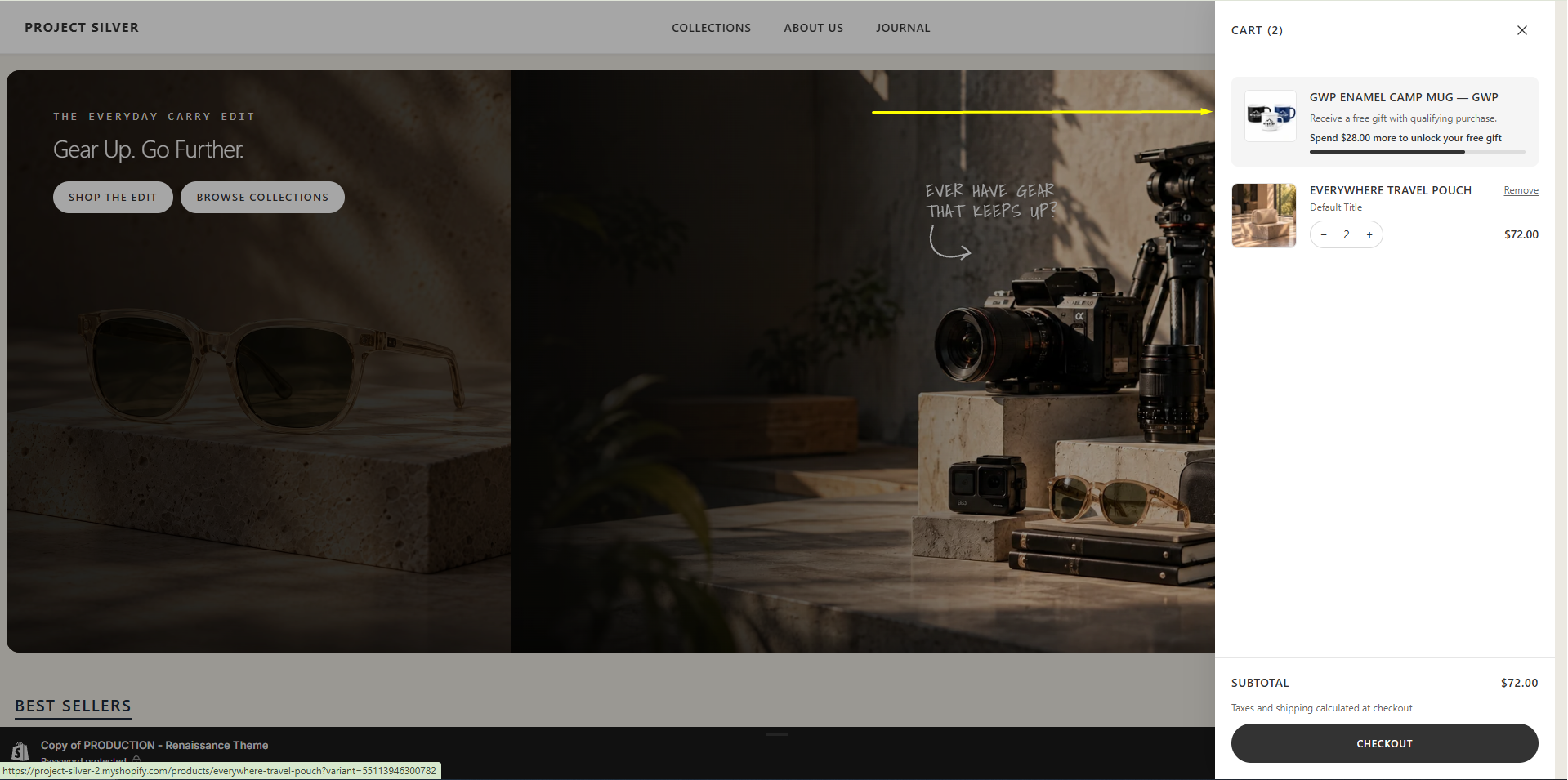
With $72 in the cart, the drawer opens with the gift banner at the top: the promo message, how much more to spend, and a progress bar toward the threshold.
Under the hood
Every cart change goes through cart.ts, which asks Shopify for the cart drawer section in the same request. One round trip returns the cart JSON and fresh drawer HTML, and gwp-banner.liquid has already worked out the progress state on the server, so no JavaScript decides what to show.
The gift is unlocked
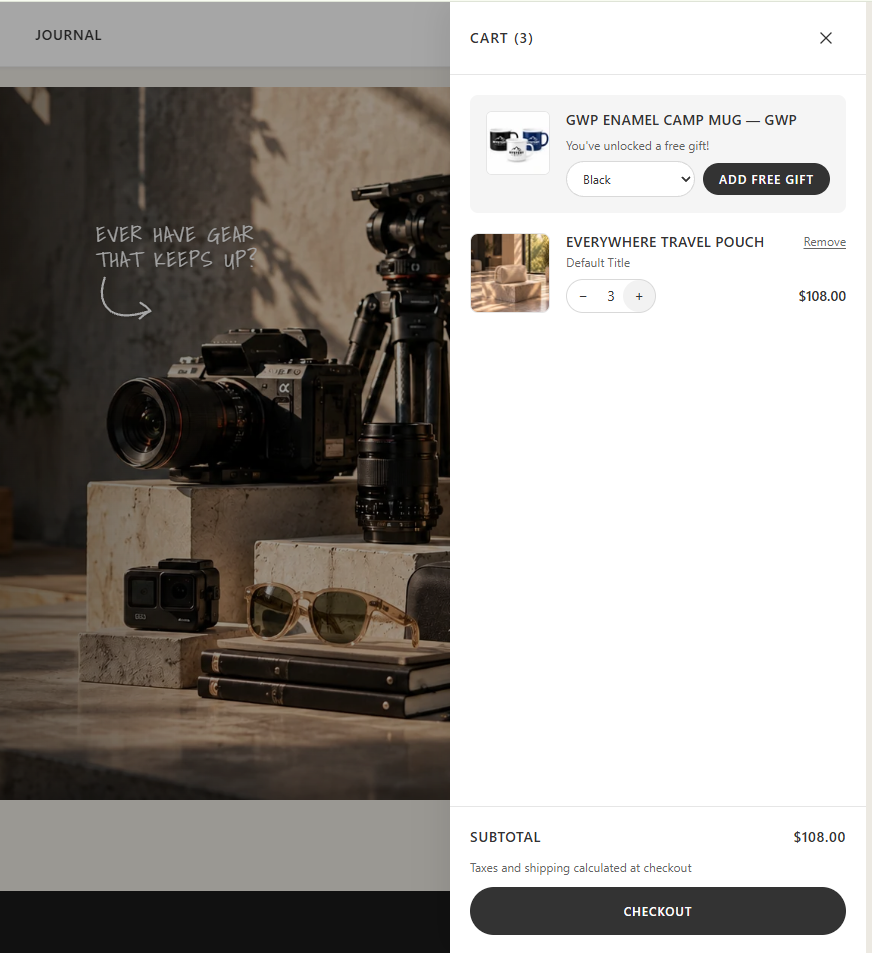
One more pouch takes the cart past the threshold. The banner switches to the qualified message, with a variant picker and an Add free gift button.
Under the hood
The add button is only rendered by Liquid in the qualified state, so an unearned button never flashes on screen. This promotion lets the customer choose the variant, so the add method is forced to manual: the gift can't be added before the shopper has picked one.
Choosing a variant
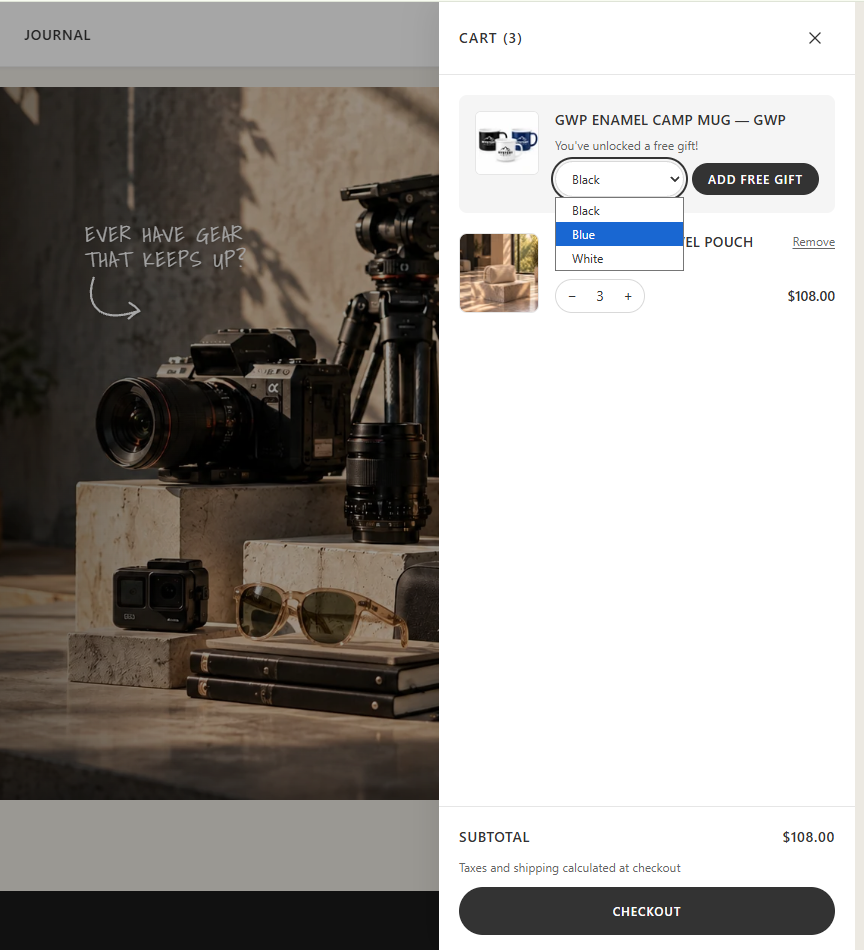
The dropdown lists the mug's colours. Only variants that are in stock appear, so the shopper can't pick a gift that can't be fulfilled. A simple dropdown suits a gift with a few options, but the picker can just as easily be a pop-up mini product page or a universal modal with colour swatches if the gift needs it.
Under the hood
A single delegated click handler reads the chosen variant, then re-checks the live cart before adding, because the rendered banner can be one request behind. The gift is added with a _freeGift line property and a 'gift-with-purchase' source, so the module ignores the cart:updated event its own change triggers.
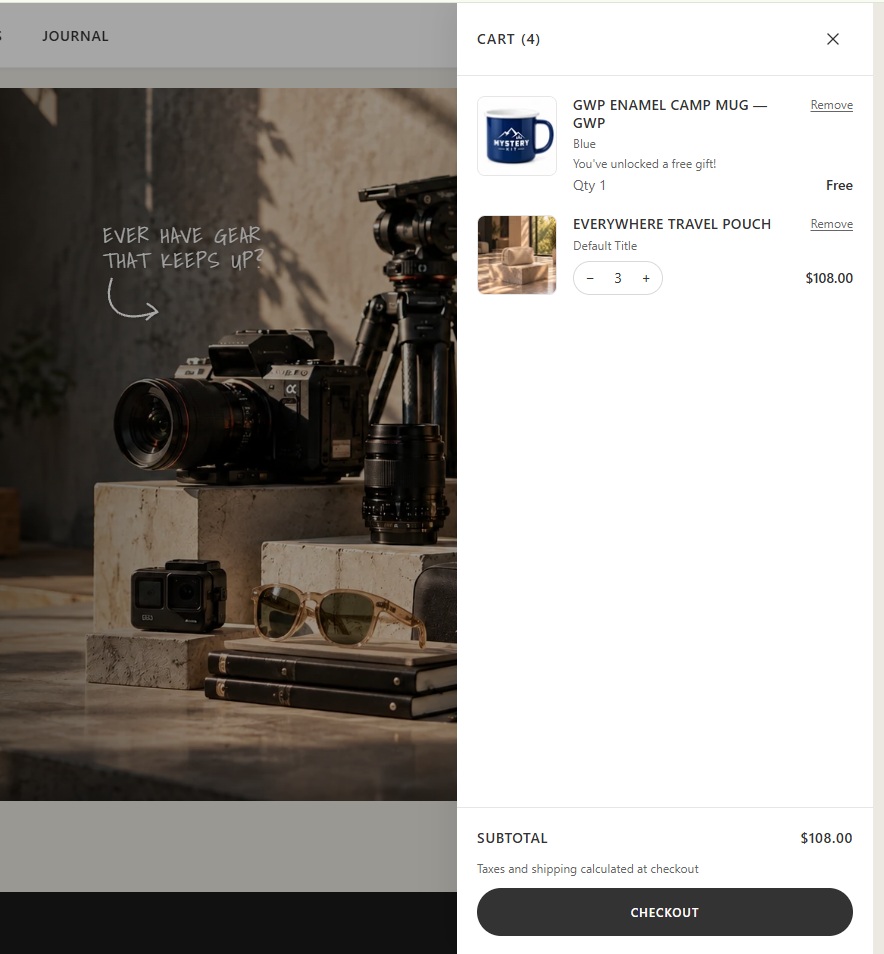
The gift in the cart
The mug joins the cart at quantity 1 and reads Free. There's no quantity stepper, but it keeps its Remove link.
Under the hood
A line only counts as the gift if it's the configured gift product and is $0 or carries _freeGift, so the property can't turn a paid item into a free one. After every cart change, the module keeps exactly one gift at quantity 1, and removes it if the cart drops back under the threshold. The gift never counts toward its own threshold.