PhilipBeauford
Bundle Builder
A build-your-own bundle page in Shopify Liquid and vanilla JavaScript. Customers pick three products, see discounted pricing update instantly, and choose a one-time purchase or a subscription before adding the bundle to the cart.
- Built in Shopify Liquid and vanilla JavaScript, with no framework
- Pick three products from a grid and watch the bundle update in real time
- Prices, images and selling plan IDs are rendered by Liquid, so building a bundle makes no network requests
- One lightweight state object, updating only the DOM elements that change
- 10% off as a one-time purchase, or 15% off as a subscription delivered every 30, 60, 90 or 120 days
- The whole bundle goes to the cart in a single request, grouped by a shared bundle ID

Step by step
What you see, and what's happening underneath.
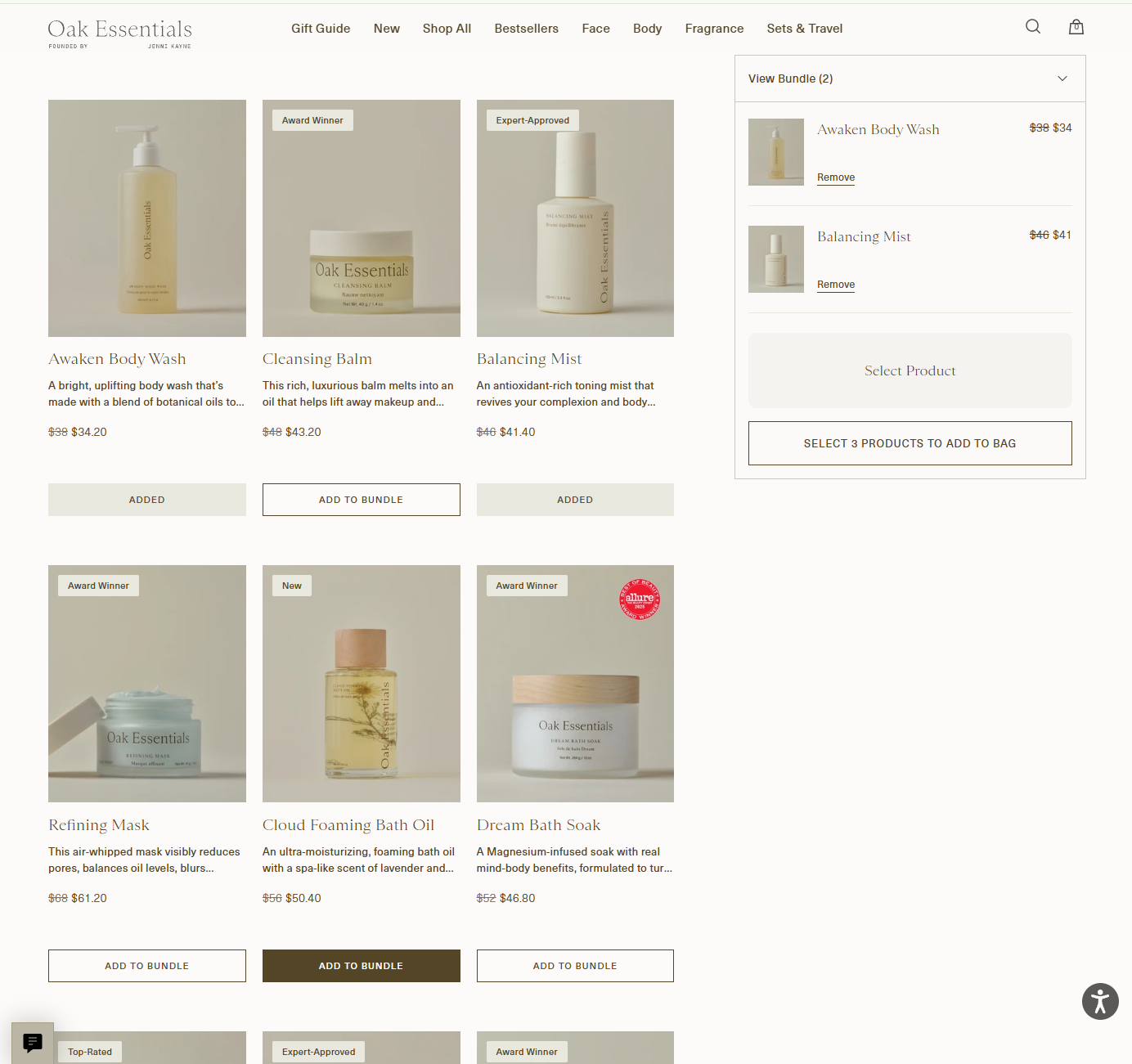
Picking products
Every product in the grid shows its bundle price at 10% off. Each pick flips its button to Added and drops into the bundle summary, which keeps an empty slot open and holds the add button back until all three are chosen.
Under the hood
Prices, images and selling plan IDs are rendered into the page by Liquid, so picking a product makes no network request. The page keeps one lightweight state object for the bundle and redraws only the elements a pick changes: that product's button, its slot and the summary.
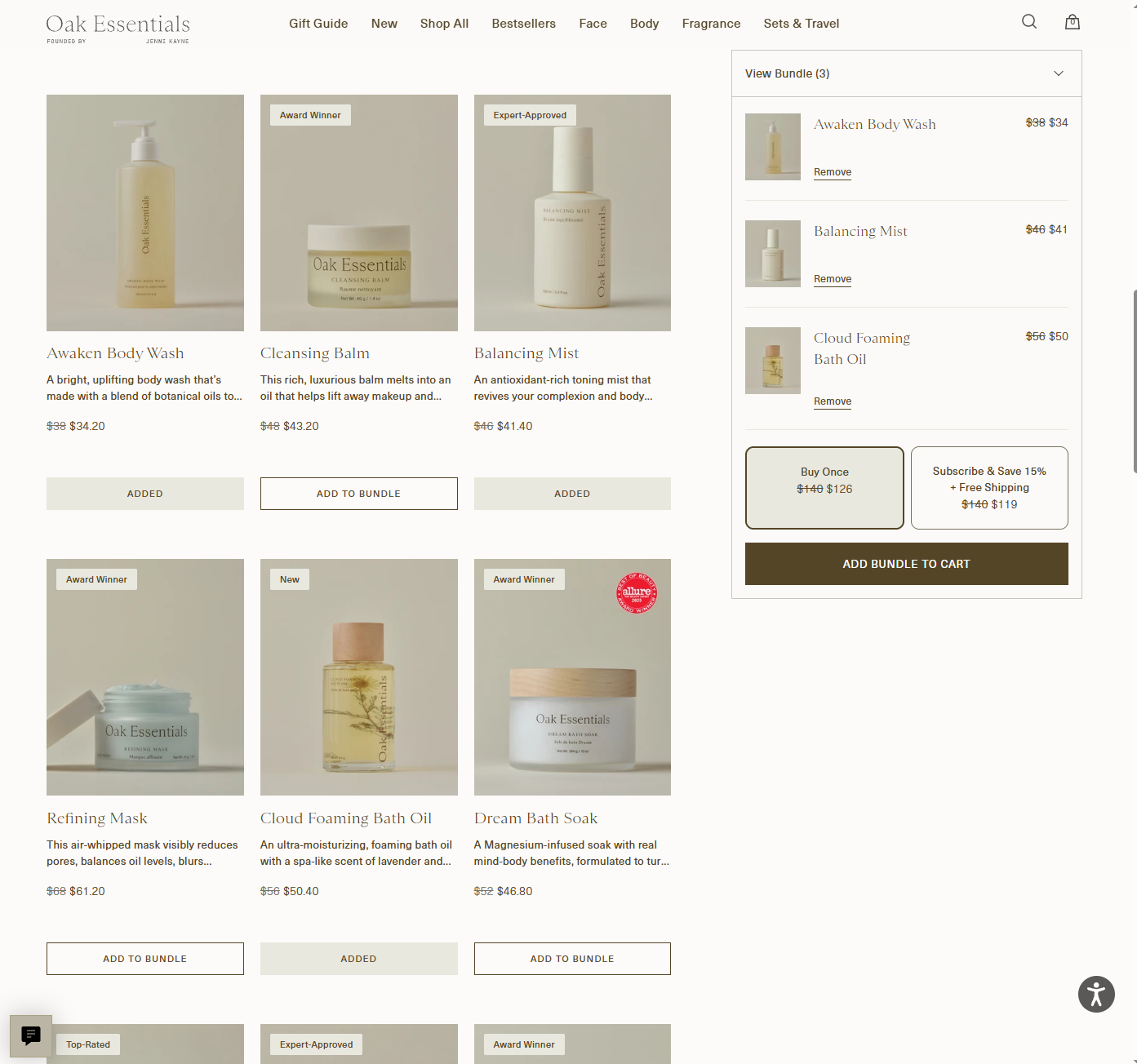
The bundle is complete
The third pick fills the last slot. The summary swaps in two purchase options, Buy Once at $126 or Subscribe & Save 15% at $119, both struck through from $140, and the Add bundle to cart button unlocks.
Under the hood
Both totals are worked out in the browser from the prices already on the page: 10% off for a one-time purchase, 15% off for a subscription. Nothing is fetched to show them, so the options appear the instant the bundle is full.
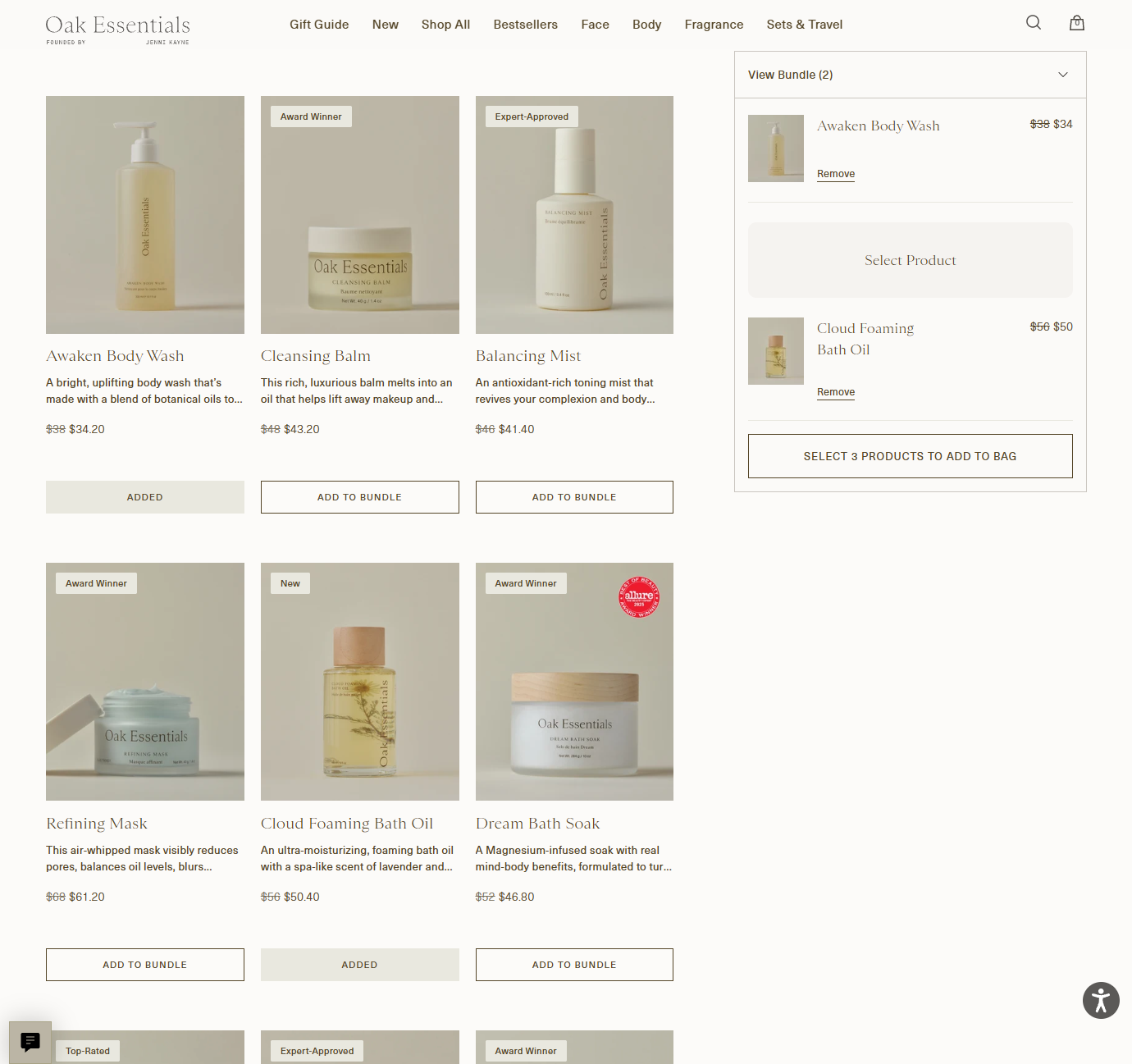
Swapping a product out
Removing the Balancing Mist opens its slot back up in the same position, and the summary returns to asking for three products. The other two picks stay exactly where they were.
Under the hood
Removing a pick updates the same state object and redraws just that slot, the product's button and the summary. Swapping products in and out is instant, with no network requests and no page reload.
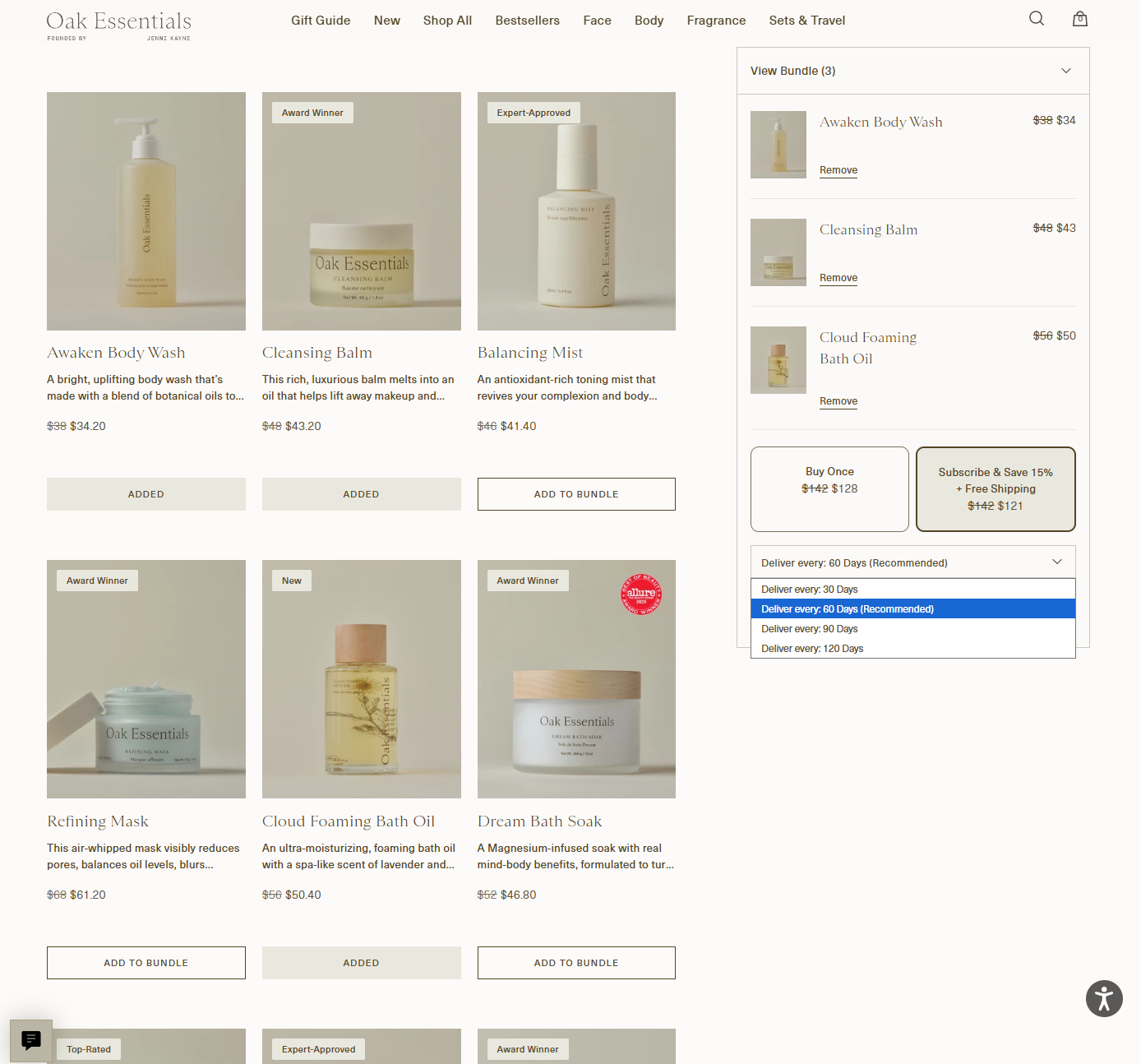
Choosing a subscription
Picking Subscribe & Save reveals a delivery dropdown: every 30, 60, 90 or 120 days, with 60 days marked as recommended.
Under the hood
The selling plan IDs for each frequency are already on the page from Liquid, so choosing one only updates the bundle's state, with no request to Shopify. The chosen plan is sent along when the bundle is added to the cart.
Into the cart
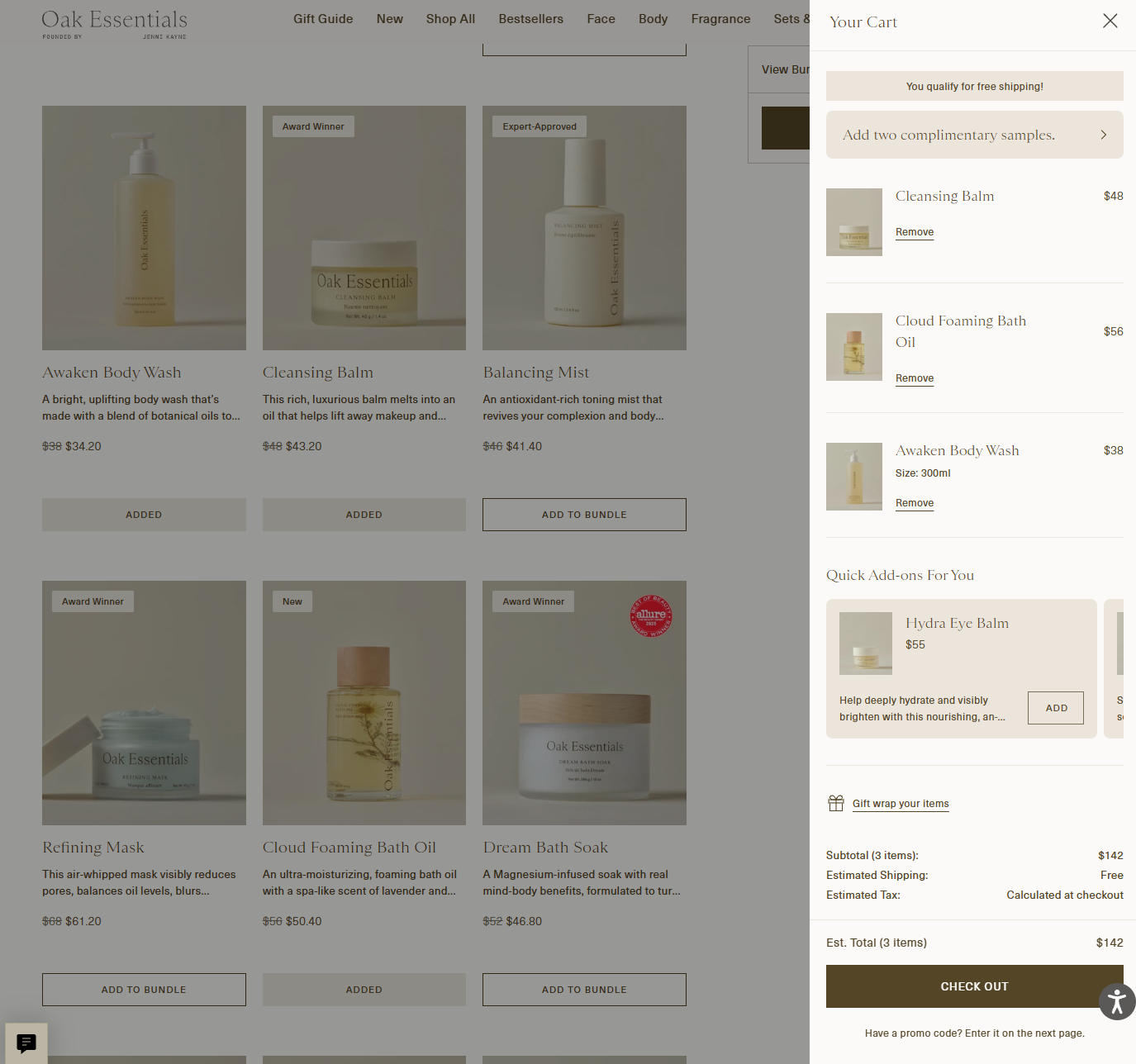
Adding the bundle opens the cart drawer with all three products in it, ready for checkout.
Under the hood
The whole bundle goes to the cart in a single request rather than one per product. Each line carries a shared bundle ID, which keeps the three products grouped together as one bundle in the cart.